
Guide
Posters, Backdrops and Cast: How Nuvio TV Makes Browsing Feel Like a Cinema Lobby
The metadata behind the browsing experience: where posters, backdrops, cast and ratings come from, and why good metadata changes what you watch.

GUIDE INDEX On this page
Browsing is half the product. This guide explains the artwork and information layer that testing for Nuvio app keeps praising, and why it quietly decides your evenings.
What you are actually looking at
Every title page assembles a small details card: poster art for recognition, a wide backdrop for atmosphere, the year, runtime and genre for orientation, cast and director for trust, a synopsis for the decision, and ratings for a second opinion. None of that is decoration. Each element answers a question a viewer asks in the three seconds before choosing, and together they replace the tab opening, searching and guessing that file based players force on you.
Why posters beat file names
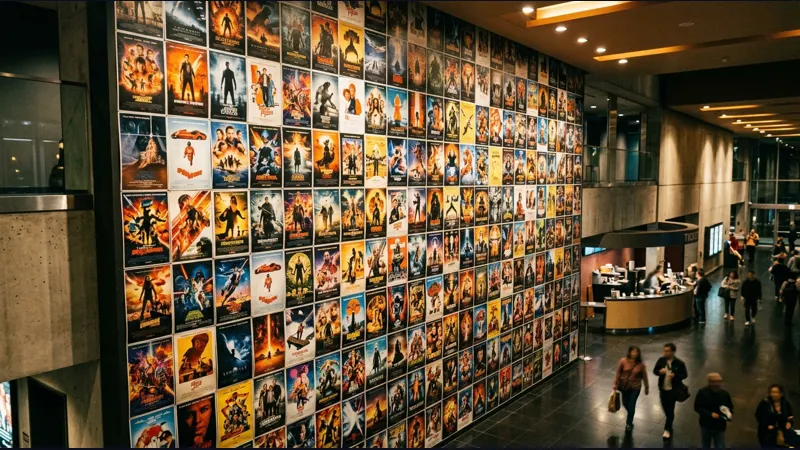
Humans recognise images hundreds of times faster than text lists, which is why poster rails work on a television across a room and on a phone in a queue. A well formed catalogue also fixes memory: the series you half remember from a trailer becomes findable by its artwork when its exact title escapes you. This is the unglamorous reason media centers beat folder browsers, and the browsing rows it enables are set up in the library guide.
Cast and crew: the trust layer
One familiar face in a cast list sells more unwatched films than any algorithm. Following a director or an actor across a catalogue turns browsing into curation, and the details pages here support that wandering properly. On the television, where typing is laborious, artwork and cast driven discovery does the heavy lifting that search does on a phone, a point the Android TV guide makes about navigation generally.
When details look thin or wrong
Obscure titles occasionally arrive with sparse artwork or a short synopsis; metadata is a living database and rarities are its thin places. Give the app a day and a connection, as entries refresh, and judge the catalogue by its centre, not its edges. A missing poster on one import does not predict your experience of the popular catalogue, which is rich, fast and consistent in our testing.
Browsing as a household ritual
The households that love this app treat the home rows as the evening's first activity: sweep the popular rail, check what is new in the library, read one synopsis aloud. Metadata done well makes that ritual pleasurable rather than administrative. Set the app up once, keep the library honest, and the lobby stays worth visiting.
The lobby is part of the film
Rich metadata is why browsing in Nuvio TV feels like an occasion rather than an admin task. Posters, cast and backdrops in Nuvio TV do the quiet work of choosing well, and households that browse together in Nuvio TV tend to watch better things than households that search in a hurry.
Quick Answers
Where does the artwork come from?
Title metadata, including posters, backdrops and cast, is drawn from established movie and TV databases the app queries as you browse.
Why does one title have no poster?
Rare or very new titles can have sparse entries. They usually fill in as the underlying databases update.
Can I browse by actor?
Title pages surface cast clearly, which makes following a performer across the catalogue straightforward.